
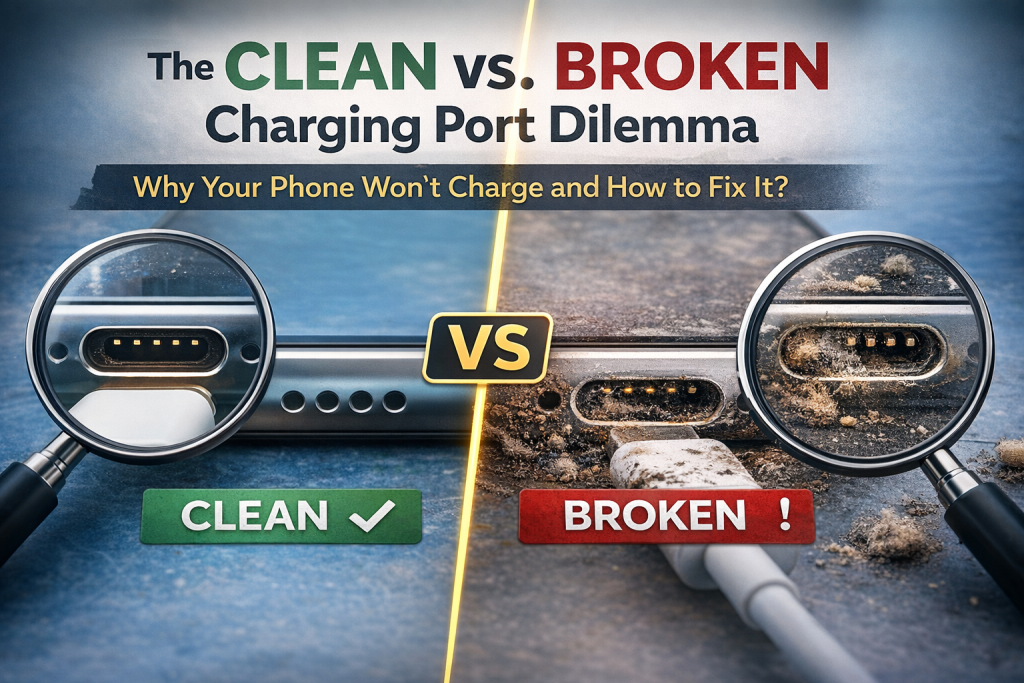
Plugging in your phone and seeing nothing happen is stressful.
For many people, that moment triggers panic.
As a result, most users immediately assume their charging port is broken.
However, in real-world repair situations, that assumption is often wrong.
At We Fix Wireless, our technicians diagnose charging issues every single day. Based on years of hands-on experience, we’ve learned that many phones labeled as “broken” actually need nothing more than professional cleaning or a cable replacement.
In this guide, we’ll explain why phones stop charging, how to tell the difference between a dirty and damaged port, and what you can do before paying for an unnecessary repair.
This article is intended for general consumer education. While it is not medical or financial advice, it does influence repair decisions, so accuracy and expert insight matter.
Section 1: How Phone Charging Ports Work in Everyday Use
Although charging ports look simple, they are extremely sensitive.
Inside the port, tiny metal pins connect directly to your phone’s power system. When debris blocks those pins or prevents the cable from seating fully, charging fails. As a result, even a small amount of lint can cause major problems.
According to Apple’s official guidance on charging issues, debris buildup is one of the most common reasons iPhones stop charging properly. Apple specifically warns users not to insert objects into the port.
Similarly, Samsung explains that foreign material inside a charging port can interrupt power flow even when the hardware itself remains intact.
Because charging ports are exposed to pockets, bags, moisture, and daily wear, they fail more often than most other phone components.
Section 2: Understanding the “Clean vs. Broken” Charging Port Dilemma
When a phone won’t charge, people usually assume the port has failed.
In reality, that conclusion often comes too early.
What a Dirty Charging Port Actually Means
A dirty port doesn’t just contain loose dust. Over time, pocket lint compresses into a dense layer at the back of the port. Because of this buildup, the charging cable can no longer make proper contact.
Common warning signs include:
- The phone charges only when the cable is angled
- Charging stops when the phone moves
- The cable no longer clicks firmly into place
In these cases, the port still works. It simply can’t connect properly.
What a Truly Broken Charging Port Looks Like
On the other hand, a port may be damaged if:
- The cable feels loose even after cleaning
- The phone does not recognize any charger
- Pins appear bent or missing
- Liquid exposure caused corrosion
At We Fix Wireless Services, technicians always inspect and test the port before recommending replacement. That process helps customers avoid unnecessary costs.
Section 3: The Most Common Reasons Phones Stop Charging
1. Lint and Debris Buildup
First and foremost, lint buildup is the leading cause of charging failure. Phones carried in pockets naturally collect fibers, which slowly pack into the port over time.
2. Faulty or Low-Quality Charging Cables
Next, cable failure is extremely common. The Federal Communications Commission warns that uncertified or poorly made charging cables can disrupt power delivery and pose safety risks.
3. Worn Power Adapters
In addition, charging bricks lose efficiency as they age. This is especially true for inexpensive or off-brand adapters.
4. Software Issues
Occasionally, software glitches interfere with charging detection. Restarting the device or installing updates often resolves this issue.
5. Physical Port Damage
Finally, true hardware damage can occur due to bent pins, corrosion, or internal separation. These cases usually require professional repair.
Section 4: Safe Checks You Can Do at Home First
Before assuming the port is broken, there are a few safe steps you can take.
First, inspect the port using a flashlight. If you see compacted lint, debris may be the problem.
Next, try a different certified charging cable and power adapter.
Then, restart your phone and test multiple power outlets.
The U.S. Consumer Product Safety Commission recommends using certified charging accessories to prevent charging failures and electrical hazards.
If the phone still won’t charge, professional inspection is the safest option.
Section 5: Why DIY Cleaning Often Makes the Problem Worse
Although DIY cleaning seems tempting, it often causes permanent damage.
For example, paperclips and needles can bend internal pins.
Toothpicks can snap and become lodged inside the port.
Compressed air can push debris deeper rather than removing it.
Both Apple and Samsung advise against inserting objects into charging ports. Professional tools are designed to clean safely without damaging internal components.
Section 6: Professional Cleaning vs. Charging Port Replacement
At We Fix Wireless, diagnostics always come first.
Professional Charging Port Cleaning
During a professional cleaning, technicians use magnification and non-conductive tools to remove debris safely. In many cases, charging works immediately afterward.
Charging Port Replacement
However, if diagnostics confirm physical damage, replacement becomes necessary. Clear and upfront pricing for both services is available on the We Fix Wireless price list.
Section 7: Cost Comparison — Cleaning vs. Replacement
In most cases, professional cleaning costs significantly less than port replacement.
More importantly, both options are far cheaper than replacing the phone entirely.
For customers considering alternatives, We Fix Wireless device sales offers tested and reliable devices at lower costs than buying new.
Section 8: Real Repair Examples from Our Technicians
In one case, a customer’s iPhone charged only when held at an angle. After cleaning, the issue disappeared completely.
In another situation, a phone exposed to sand and moisture showed corrosion, making replacement unavoidable.
You can see real before-and-after repair examples in the We Fix Wireless photo gallery.
Section 9: How to Prevent Charging Problems in the Future
To reduce future charging issues:
- Avoid charging your phone in bed
- Keep devices away from moisture
- Replace worn cables regularly
- Use certified charging accessories
The Consumer Product Safety Commission also provides guidance on safe electronics use to prevent long-term damage.
Section 10: When Professional Help Is the Right Choice
You should see a technician if your phone:
- Will not charge at all
- Charges inconsistently
- Overheats during charging
- Has been exposed to liquid
To schedule a diagnostic or ask questions, visit the We Fix Wireless contact page.
Frequently Asked Questions
Can lint really stop charging completely?
Yes. Compressed lint can block electrical contact entirely.
Is wireless charging a permanent fix?
No. It works temporarily but does not solve the underlying issue.
How long does professional cleaning take?
Most cleanings are completed the same day.
Is replacing the phone necessary?
In most cases, no. Charging issues are usually repairable.
Disclaimer
This content is for informational purposes only and does not replace professional diagnostics. Attempting unauthorized repairs may cause permanent damage. Always consult a qualified technician.
