
Written by: Ronnie Gonenc
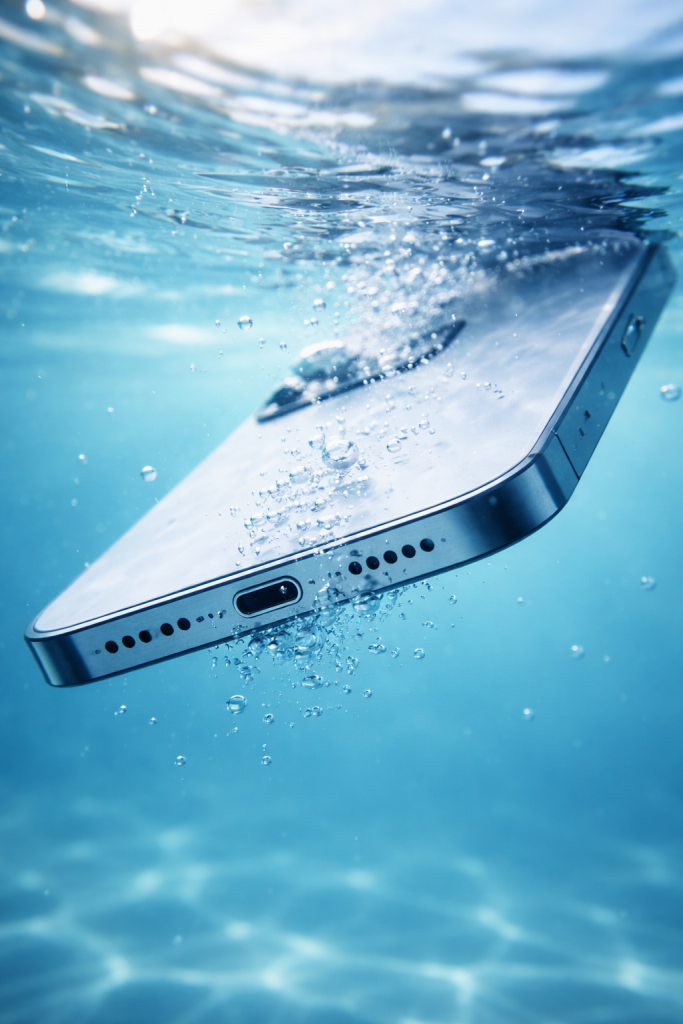
You dropped your phone. Maybe it slipped into a sink full of dishes, or your kid launched it into the pool, or you just forgot it was in your back pocket before you sat on a wet bench. Whatever happened, there’s that awful moment where your stomach drops faster than your phone did.
And then someone — a friend, your mom, a random person on the internet — tells you the same thing: “Put it in rice.”
Here’s the thing. I’ve been repairing phones for years, and I can tell you with complete confidence that phone water damage repair has almost nothing to do with rice. In fact, rice can make things worse. I’ve opened up devices where grains of starch had worked their way into charging ports, corroded connectors that might have been salvageable, and created new problems on top of the original water exposure.
Water damage is scary, but it’s not always a death sentence for your device. The difference between saving your phone and losing it usually comes down to what you do in the first thirty minutes — and more importantly, what you don’t do.
Section 1: What Actually Happens When Water Gets Inside Your Phone
Most people think of water damage as a single event. Phone goes in water, phone breaks. But that’s not really how it works.
Modern smartphones are built with some degree of water resistance. Apple’s iPhone 12 and later models, for instance, are rated to handle submersion in up to six meters of water for thirty minutes under controlled lab conditions. Samsung’s Galaxy flagships carry similar IP68 ratings. But here’s what those ratings don’t tell you: water resistance degrades over time. Every drop, every temperature swing, every tiny flex of the frame compromises those factory seals a little more.
When water does get in, the real danger isn’t the water itself — it’s what happens after. Minerals and impurities in the water create conductive pathways between components on the logic board. If there’s any electrical current flowing (because you didn’t turn the phone off, or you tried to charge it), those pathways cause short circuits. And short circuits cause permanent damage to the integrated circuits that make your phone work.
Corrosion is the other silent killer. Even if your phone seems fine after drying out, moisture trapped beneath shield cans and between layers of the motherboard starts corroding solder joints and component legs. This is why some water-damaged phones die weeks after the initial exposure — the corrosion finally eats through a critical connection.
If your phone has suffered any kind of liquid exposure and starts behaving strangely — ghost touches, battery drain, charging issues — those are warning signs that deeper hardware problems may be developing beneath the surface.
Section 2: Why the Rice Trick Doesn’t Work (And Why It Can Hurt)
Let’s just put this one to rest. In early 2024, Apple officially updated its support documentation to warn users against putting iPhones in rice. Their exact guidance stated that doing so could allow small particles of rice to damage the device. That’s Apple — the company that makes the phone — telling you not to do the one thing the internet swears by.
And they’re not wrong. Here’s why rice fails, from a repair technician’s perspective.
Rice Doesn’t Address Corrosion
Rice absorbs some ambient moisture from the air. That’s true. But it doesn’t pull water off circuit boards. It doesn’t neutralize the minerals that cause corrosion. It doesn’t reach the moisture trapped under EMI shields or between the layers of a flex cable. The water that kills your phone isn’t floating around inside the case like a puddle — it’s clinging to surfaces at a microscopic level, and rice can’t touch it.
Rice Introduces New Contaminants
Uncooked rice is dusty. It sheds starch particles and tiny fragments that work their way into charging ports, speaker grilles, and SIM trays. I’ve pulled rice dust out of Lightning ports that jammed the connector pins. That charging port issue alone can cost more to fix than the water damage would have.
Rice Wastes Critical Time
This is the big one. The first few hours after water exposure are when professional intervention matters most. While you’re waiting 24 to 48 hours for rice to supposedly do its magic, corrosion is spreading across the logic board. Every hour you wait reduces the chance of a full recovery.
What About Silica Gel?
Silica gel packets — those little “DO NOT EAT” sachets that come with new shoes — are genuinely better at absorbing moisture than rice. But even silica gel can’t address the root problem. It can help with surface moisture, sure, but it won’t stop corrosion from progressing inside the phone. It’s a better option than rice if you absolutely cannot get to a repair shop, but it’s still not a solution.
Section 3: What Actually Saves a Water-Damaged Phone
Alright, so rice is out. What should you actually do?
The First Five Minutes Matter Most
Power the phone off immediately. Don’t check if it still works. Don’t try to charge it. Don’t plug anything into it. If the phone is still on, hold down the power button and shut it down. Every second it stays powered on with moisture inside increases the risk of a short circuit.
Gently tap the phone against your palm with the charging port facing down. This lets gravity pull free-standing water out of the port area. Wipe down the exterior with a clean, lint-free cloth. Remove your case. Remove the SIM tray if your phone has one — this opens up a small channel for airflow.
Then, leave it somewhere dry with decent air circulation. A room with a ceiling fan works. Don’t use a hair dryer, don’t put it on a radiator, don’t stick it in the oven. Heat can warp adhesives, damage the battery, and push moisture deeper into the device.
According to Apple’s official support guidance, you should wait at least thirty minutes before attempting to charge the device again. If a liquid detection alert persists, wait a full 24 hours in a dry, ventilated space.
Professional Ultrasonic Cleaning Is the Gold Standard
Here’s what actually works for serious water exposure: professional ultrasonic cleaning. A qualified repair technician will disassemble your phone, remove the logic board, and submerge it in a specialized cleaning solution inside an ultrasonic bath. The ultrasonic waves create microscopic cavitation bubbles that scrub corrosion and mineral deposits off every surface — including under those tiny shield cans and between component legs where moisture hides.
After cleaning, the board gets inspected under magnification for any components that were damaged before the cleaning could save them. Sometimes a few components need replacing. Sometimes — and this is more common than people think — the phone comes back to life with zero lasting damage.
This is the kind of professional repair service that separates a recovered phone from a paperweight. It’s the reason we tell every customer who walks in with a wet phone: don’t wait, don’t rice it, just bring it in.
Know When Replacement Makes More Sense
Not every water-damaged phone can be saved. If a phone sat in saltwater for an extended period, if it was powered on and charging when it got wet, or if weeks passed before professional cleaning — the damage may be too extensive. In those cases, you’re looking at either a full board-level repair (which can be expensive) or a replacement device.
If your phone is beyond saving, consider looking into quality refurbished devices as a cost-effective alternative to buying brand new. And going forward, invest in a quality waterproof case if you’re frequently around water.
Section 4: Conclusion and Final Thoughts
Water damage is one of those problems where what you do in the first hour determines everything. The instinct to reach for the rice bag is understandable — it’s been passed around as gospel for over a decade. But the science doesn’t support it, the manufacturer explicitly warns against it, and experienced repair technicians see the consequences of it every single week.
Here’s the short version: power off, shake out excess water, air dry, and get to a professional as soon as you can. Skip the rice. Skip the hair dryer. Skip the freezer trick (yes, that’s a thing people try too).
Your phone handled more engineering than most people realize. The fact that modern devices can survive brief submersion at all is remarkable. And with the right response and professional phone water damage repair, many devices come back working perfectly — no rice required.
If your phone took a swim and you’re not sure what to do next, reach out to a repair professional before you write it off. You might be surprised by what’s salvageable.
For more practical repair insights and tips on keeping your devices healthy, check out our latest articles on the blog.
FAQs
How long should I wait before turning on a water-damaged phone?
At minimum, wait 24 hours if you’re air-drying at home. But honestly, if there was significant water exposure, don’t turn it on at all until a technician has inspected and cleaned the internals. Powering on a phone with residual moisture is how short circuits happen.
Does putting your phone in rice actually do anything?
Not really. Rice absorbs some ambient humidity, but it doesn’t pull moisture off circuit boards or stop corrosion. Apple officially advises against it because rice particles can damage the phone further. Your best bet is air-drying in a ventilated space and then getting professional help.
Is water damage covered by phone warranties?
Generally, no. Most manufacturer warranties — including Apple’s standard one-year warranty — do not cover liquid damage. AppleCare+ covers accidental damage for a service fee, but standard warranty claims for water exposure are typically denied. Your phone has internal liquid contact indicators that technicians check during service.
Can a phone work fine after water damage and then fail later?
Absolutely, and this is more common than people expect. Corrosion is a slow process. A phone might seem perfectly normal for days or even weeks after water exposure, then suddenly develop battery problems, charging failures, or display issues as corroded connections finally give out.
How much does professional water damage repair cost? It varies depending on the device and extent of damage. Ultrasonic board cleaning is typically far less expensive than a full device replacement. You can check our repair price estimates for a general idea, though a technician will need to assess the specific damage before giving a final quote.
Disclaimer
This article is written for general informational purposes based on hands-on repair experience and publicly available manufacturer guidance. Every water damage situation is different, and outcomes depend on variables like the type of liquid, duration of exposure, and how the device was handled afterward. If your phone has been exposed to liquid, we strongly recommend having it evaluated by a qualified repair technician before attempting any DIY fixes. Nothing in this article should be taken as a guarantee of repair outcomes.
